
 English
  Français
Chapter 3: Variables
When programming, we need to manipulate data, such as numbers, letters, tables, lists...
For this, we use variables.
What is a variable?
A variable is actually a reserved space in the computer's memory, in which we will store a value. You can think of them as "boxes" that are used to store things in the computer.
They have a limited lifespan and are deleted at the end of the program execution (it's better, otherwise we would have memory leaks 😱).
The value of a variable can be changed at any time, depending on the needs of the program. And so they will be essential for our scripts. 😜
How do you declare a variable?
To create/declare a variable, it's simple, just give it a name and assign it a value using the = sign.
For example :
name = "John"
age = 15
Here we have just created 2 variables:
- name, which contains the character string John, placed in quotation marks, to say that these are letters.
- and age which contains the integer (int) 15.
We will come back later to the existing types of variables. 😉
How do you choose the name of a variable?
You are relatively free to choose the name you want, preferably a name related to what the variable contains. 🤪 But you still have to respect a few rules:
- The name must start with a letter or _ (underscore) like : age or _address.
- A variable name must contain only common letters or numbers without spaces, special characters or accents.
- There are some words that you can't use because they are "reserved" by Python. They are part of the programming language, like: if, else, and... These words usually appear differently in your IDE so that you can identify them, even if you don't know them (yet).
- Variable names are case sensitive. For example: Age and age are two different variables. This is a common source of error for beginners.
How to display a variable?
Now that we have seen how to declare a variable, we will display it to verify that it contains what we've assigned to it.
Type the following code, to test:
name = "John"
age = 15
print(name)
print(age)
If you then click the arrow in the top right to launch the program, you will get John and 15 in the Terminal.
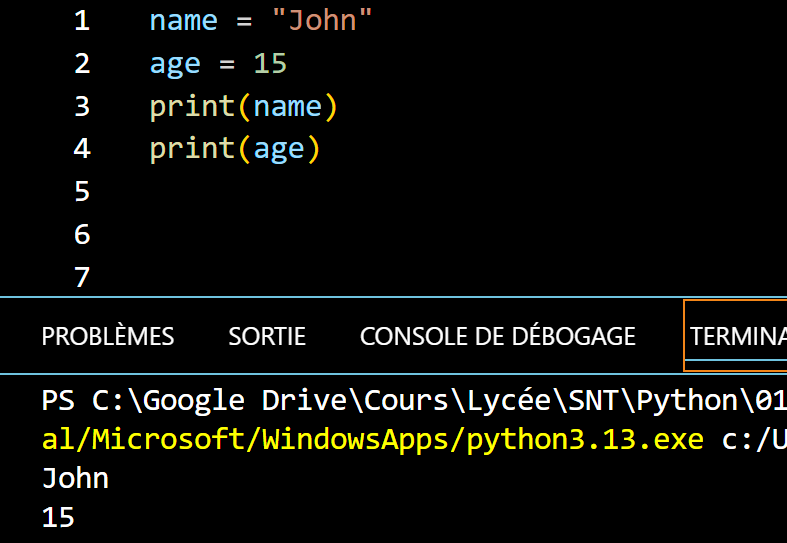
The print() function is very useful because it allows you to write whatever you want in the console (or Terminal). Here, we simply ask it to write the content of the variables name and age .
Exercise 2 |
|
Take the code above and change the value of the variables to enter your name and age . |
Exercise 3 |
|
Always use the same code and add the variables: address, zip_code and city without forgetting to assign them a value.
|
So, in the next chapter we will see some essential types of variables! 😀
See you soon! ☺️