
 English
  Français
Chapter 4: Variables Types
Now that we have successfully declared and displayed our first variables, we will see that they can be of different types.
You have probably already noticed that in our two previous variables, we had numbers and letters or character strings.
These are already two common types. So:
- 14, 15 or 16 which can be assigned to our age variable are whole numbers (without decimal points) which are called int (for integral).
- "John", "Emily", "Jimmy" are, on the contrary, character strings, i.e. a sequence of letters. In Python, a "text" is called str (for string) .
In many other programming languages, such as C or C++, you have to define the type of the variable when you declare it. In Python, this is not necessary, because the programming language does it automatically for you, based on the value you assign to your variable. So:
- age = 15 will automatically be of type int (integral).
- but age = "fifteen" will be of type str (text or character string).
This is important to consider, because while we can, for example, add 2 int together or 2 str, we cannot do so if we mix them.
Let's manipulate a little to see:
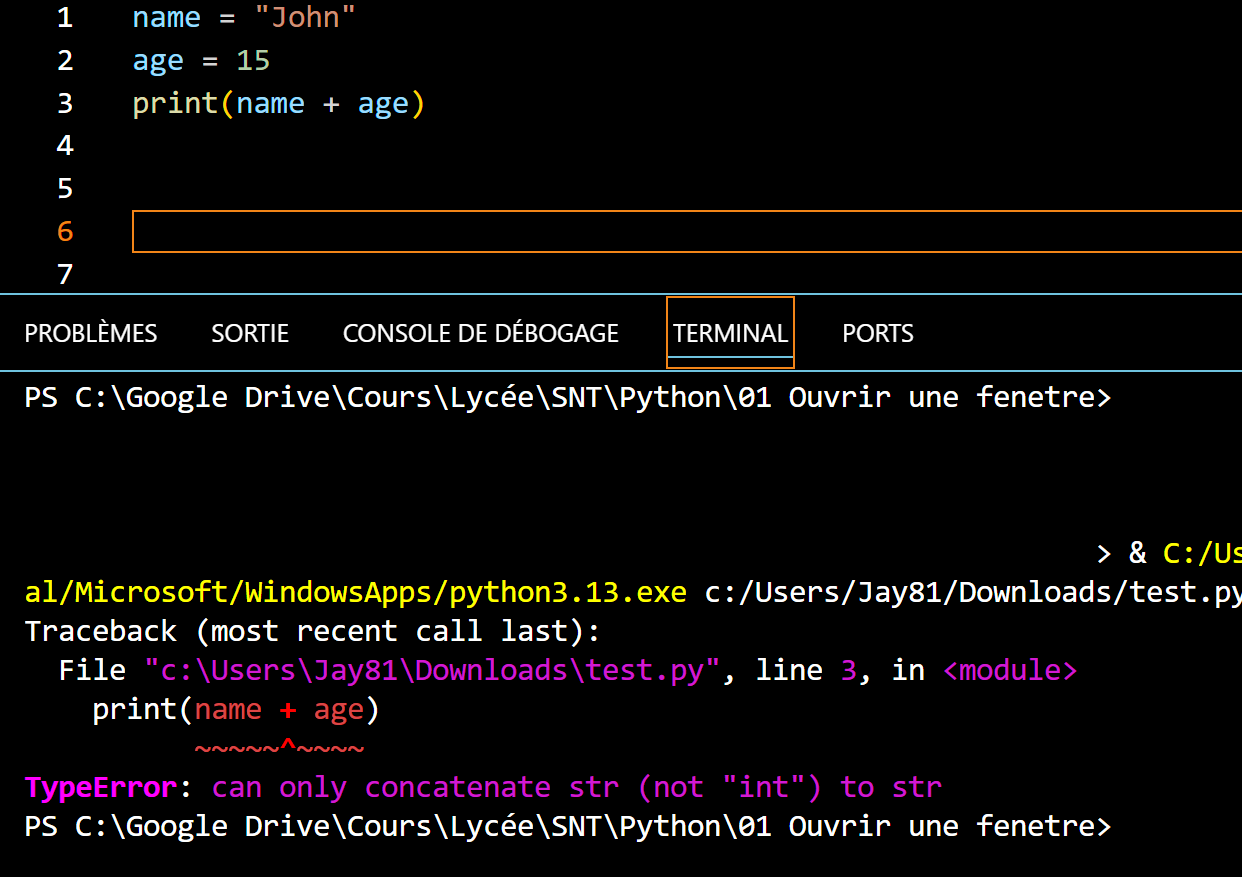
name = "John"
age = 15
print(name + age)
In this example, we are trying to display the addition of the name and age. However, since they are of different types, this creates an error, visible in the Terminal: can only concatenate str to str.
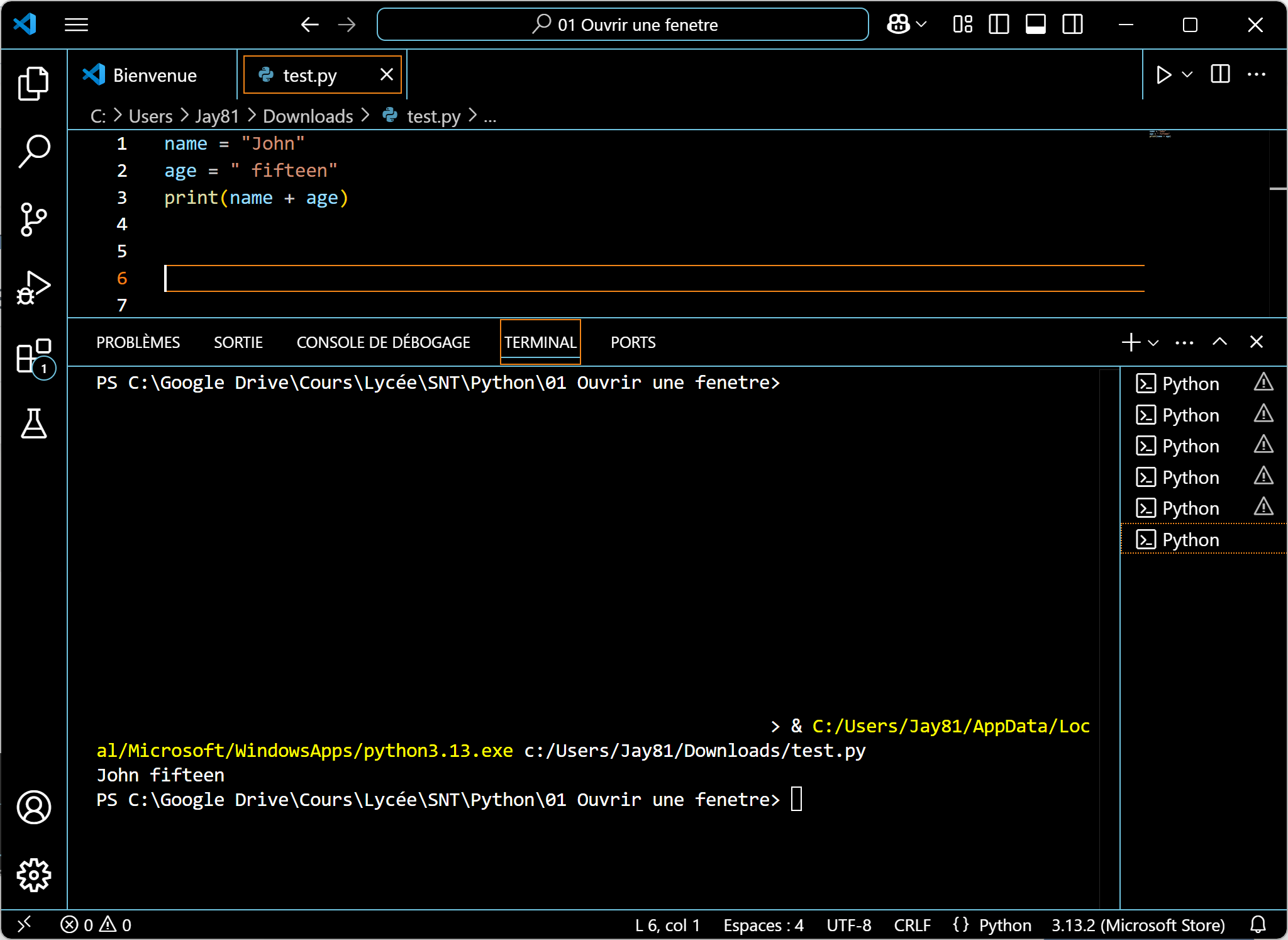
Now if we change and write the age in letters (str) it'll work.
name = "John"
age = " fifteen"
print(name + age)
We get: John fifteen.
But then, what do we do if we really want to add them and they are not of the same type? 😅
To do this, you need to transform one of them into the type of the other. Here, you can transform 15 into text, by writing str(age) .
name = "John"
age = 15
print(name + str(age))
So, we now get: John15.
And if we want to add a space between the two, just type:
name = "John"
age = 15
print(name + " " + str(age))
And we get: John 15.
The main types of variables
Now let's see the main types of variables, which we will use this year. There will be others, but that will be for later. 😉
| int | Integral | Positive or negative | age = 15 |
| float |
Floating point number |
Positive or negative | length = 27,96 |
| str | Text or character string |
Put between " " or ' ' |
name = "Emily" |
| bool | Boolean | Maybe either True or False |
continue = True |
There are other variables like arrays, lists... but you will see that later, if you need it. 😉
How do I know the type of a variable?
To know the type of a variable, we can use the type() function, like below:
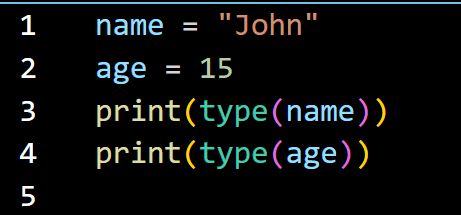
Which will return in the console:
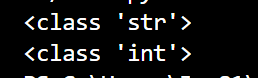
Here are the types of the variables: name and age .
Exercise 4 |
|
Create a variable for the 4 types seen previously and display them in the Terminal. |
Exercise 5 |
|
Take the previous code and indicate the type of each variable.
|
That's it for this chapter! 😀
See you soon! ☺️