
 English
  Français
Chapter 7: For and while loops
Besides conditions, loops are also an essential element of any computer code. Imagine, without it, video games would not exist! Because yes, a video game is nothing less than a large infinite loop that repeats itself as long as the game is running: 60 times per second to have 60fps! 😉
There are two main types of loops, depending on what you want to do:
| for | Finite loop that will last a certain number of times/iterations. |
| while | Infinite loop until a condition is met. |
Let's take some simple examples to illustrate these two loops. 😉
The for loop
It is usually written as follows, using the handy range() function.
We could literally translate it as: For i = 0 to 10: Display i :
for i in range(10):
    print(i)
If you run it, you will see the numbers 0 through 9 displayed in sequence.
Note again the indentation (TAB space) that places print() under the for loop, and the colon : If one of those two is incorrect, the code will not run! 🤪
But why does it only display numbers up to 9, when we put 10? 😱
By default, in programming, the count starts from 0 and not from 1. If you go from 0 to 9, that makes 10 (yes, yes, you can check on your fingers, if you don't believe me). 😅
If we really want to display the numbers from 1 to 10, we can do:
for i in range(10):
    i += 1
    print(i)
Note that to add 1 to a variable, we can simply write += 1. We could also have chosen another value. You can try with another number to see the difference. 😉
Loops can also be nested within each other, just like conditions.
Let's take for example:

The following code will display the multiplication tables from 0 to 9:
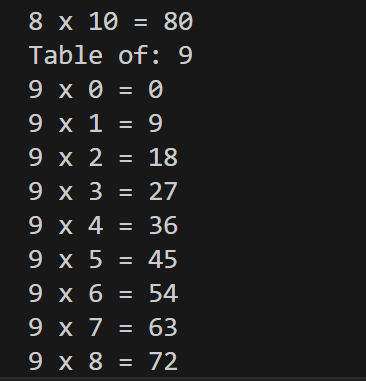
Note that we chose a counter j different from i of the first loop so that the two loops don't mix. 😉
The while loop
The while loop executes as long as a condition is True.
Here is an example:
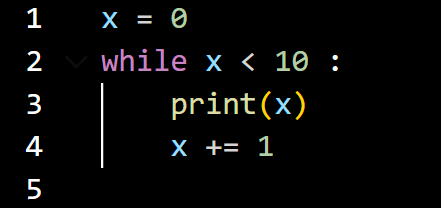
The following code also displays numbers 0-9, but not in the same way. 😜
But it is more often used to create infinite loops that will stop, for example, at the user's request as in the following example:
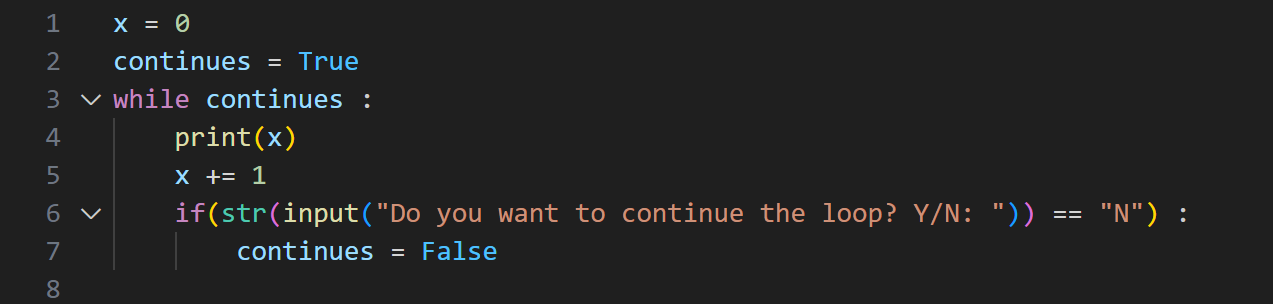
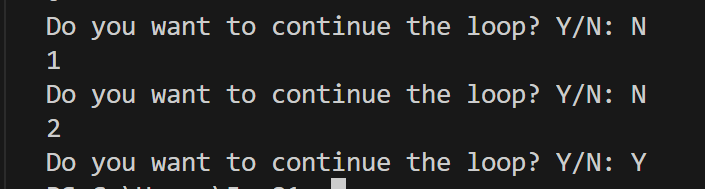
This loop is similar to the previous one and does the same thing (it displays numbers from 0 to infinity), except that this time, it will ask the user at each loop if he wants to stop. If the user answers "N" (No), we will set the continues variable to False to stop the loop. 😉
The break and continue instructions
The break and continue statements, found in many languages, are often used with loops.
The break statement allows you to stop the execution of a loop when a certain condition is verified. It is often used with an if type condition.
If we take our previous code, we can write it like this:
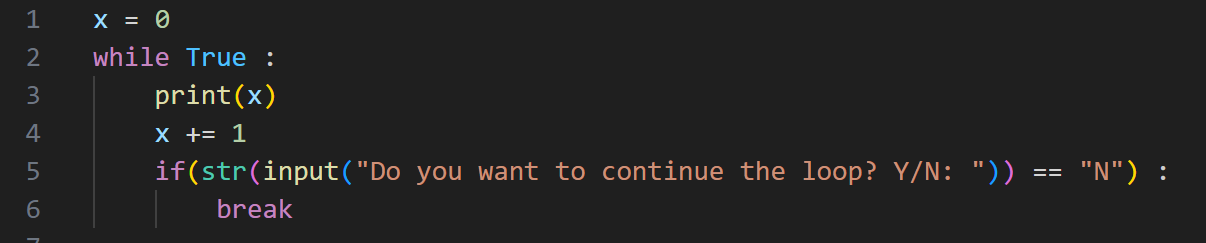
The continue statement allows us to skip the current iteration of the loop and go directly to the next one. It will therefore allow us to skip part of our loop under certain conditions.
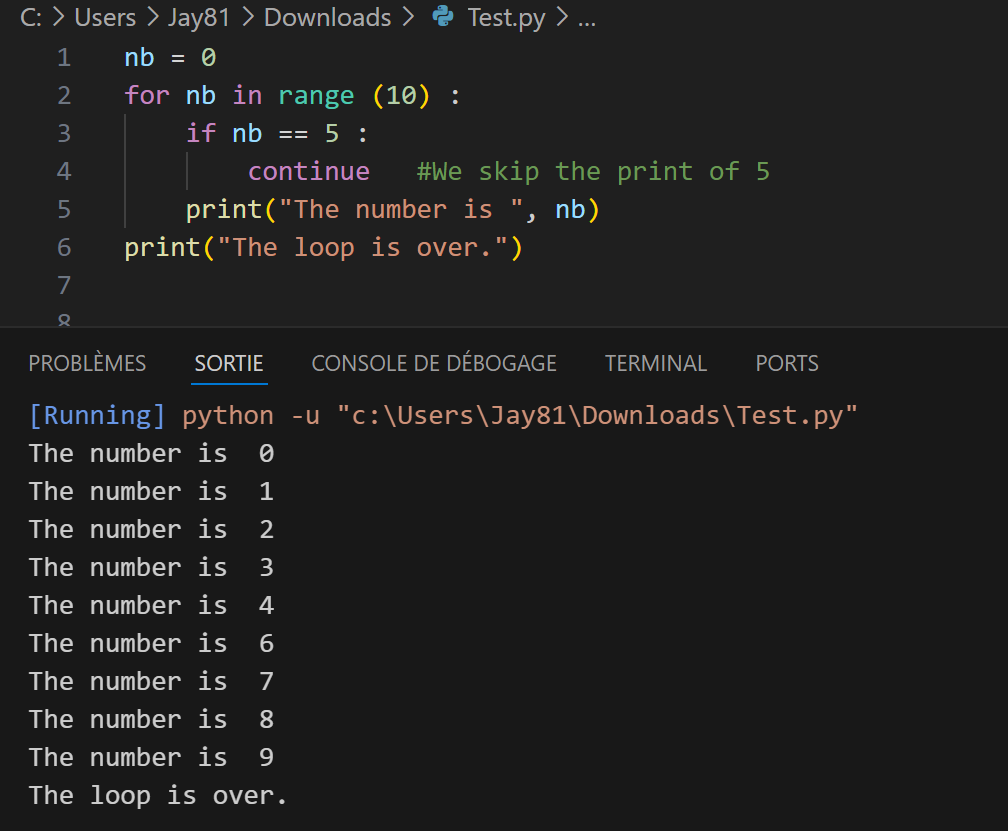
In this example, we resume displaying our numbers from 0 to 9, except that when it is 5, we "skip" the loop and go directly to 6 without writing 5.
Now let's move on to some practice! 🤓
Exercise 10 : Entering PIN code |
|
You will create a program that asks the user to enter their PIN code, by completing the following code: |
codePin, enteredPin = "1234", input("Enter your PIN code: ") |
That's it for this chapter! 😀
See you soon! ☺️